
Summary
How to Handle Oops Emails in Email Marketing
You hit send. Then your stomach drops.
The subject line has a typo. The discount code is wrong. You just sent the men's collection to your women-only segment. Or worse you called someone by the wrong name in the merge tag.
If you've never had to send a correction email, you're either incredibly lucky or you haven't been doing this very long. For the rest of us, the "oops email" is a rite of passage. It feels terrible in the moment. But handled well, it doesn't have to be a disaster. Sometimes it actually helps.
Let's walk through what an oops email is, when you actually need one, and how to write one without making things worse.
What Is an Oops Email?
It's a follow-up message sent to correct a mistake in a previous campaign. It acknowledges the error, apologizes if needed, and provides the right information.
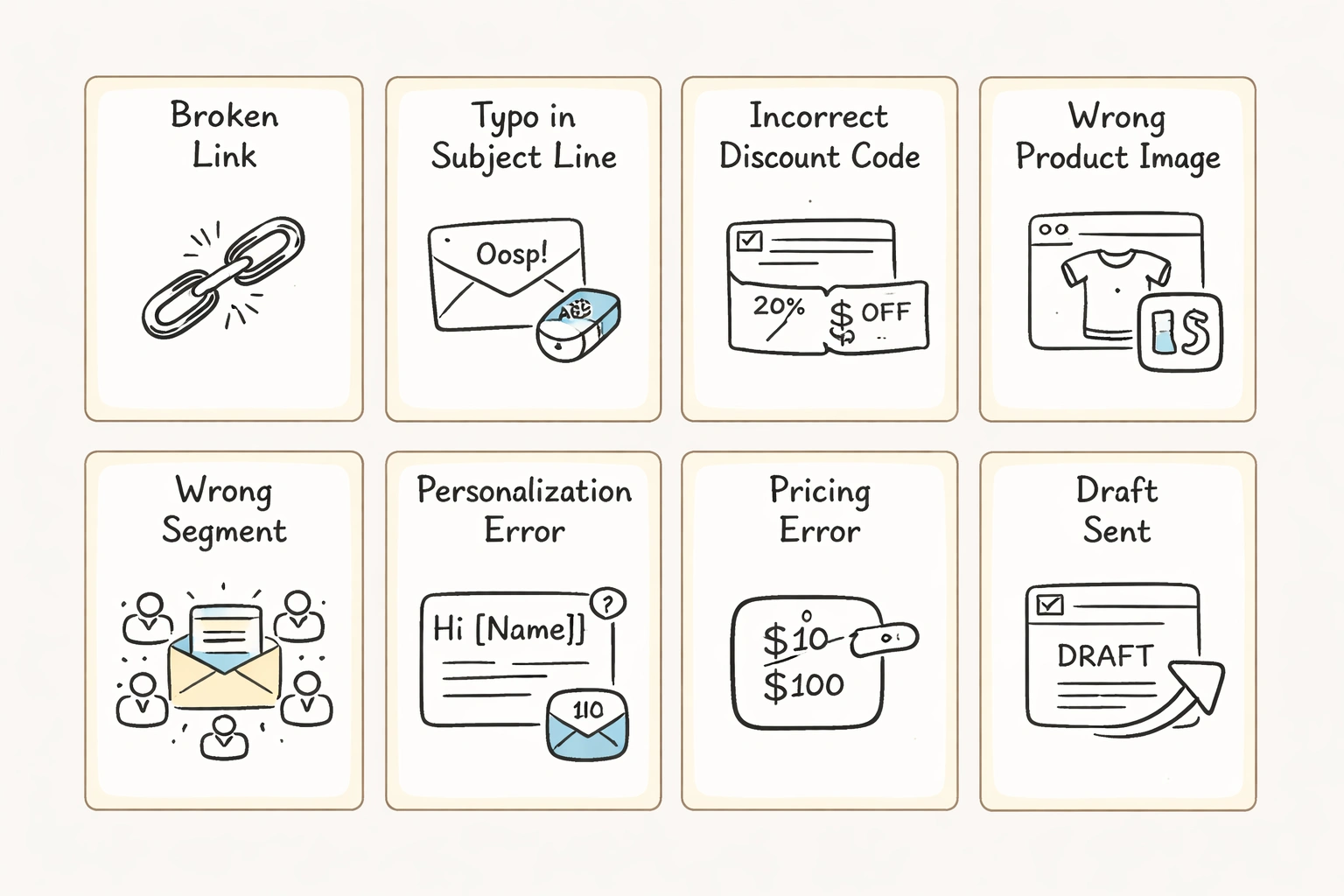
The mistake could be anything:
- A broken link
- A typo in the subject line or body copy
- An incorrect discount code
- Wrong product images
- Sending to the wrong segment
- Personalization errors (wrong name, wrong product recommendation)
- Pricing errors
- Sending a draft instead of the final version
The goal is simple: fix it before the damage spreads, or at least own the mistake publicly.
When You Should (and Shouldn't) Send One
Not every mistake needs a follow-up. Send too many apologies and you train your audience to expect sloppiness. Ignore a real error and you kill trust.
Send an oops email if:
- The error affects the customer's ability to act (broken link, wrong code, incorrect pricing)
- The mistake could cause confusion or frustration
- The error was visible to a large segment
- The mistake involved incorrect personalization that feels invasive
- You promised something you can't deliver
Don't send one if:
- The error is minor and buried in body copy
- Bringing attention to it causes more harm than good
- The original email had almost no engagement
- You can fix it silently (like updating a landing page link on the backend)
When in doubt, ask: will this email help or make things worse? If you're not sure, sometimes it's better to just move on.
How to Write an Oops Email That Works
A good correction email acknowledges the mistake, fixes it, and keeps your brand voice intact. Nothing more.
1. Own It in the Subject Line
Don't be cute. Your subject line should signal immediately that this is a correction. Subscribers who saw the original error need to know this one matters.
Try:
- "Oops wrong link in our last email"
- "We messed up (here's the right code)"
- "Our bad here's what we meant to say"
- "Sorry, that wasn't supposed to go out yet"
Be direct. If your brand voice is playful and your audience knows you, a little humor works. But don't force it.
2. Get to the Point
Don't make people scroll to figure out what happened. Lead with the correction.
Example:
"We sent you an email earlier today with a broken link to our new collection. Sorry about that here's the correct link."
If the mistake was embarrassing, own it:
"We hit send a little too early on that last one. It was a draft. A very rough draft. Here's the version we actually meant to send."
3. Make the Fix Impossible to Miss
This is the whole point. Put the correct information front and center. Use buttons, bold text, or visual callouts.
Discount code? Put it in a big centered box. Link? Make the CTA button obvious. Product recommendation? Show the right product with an image.
4. Decide If You Need to Apologize
Not every mistake needs a formal apology. A broken link? A quick "our bad" is fine. A pricing error that caused someone to overpay? You need to apologize and fix it.
Match the tone to your brand. "Whoops, our bad" works for casual brands. "We apologize for the confusion" fits more premium positioning.
5. Consider a Small Bonus (Sometimes)
If the mistake stopped someone from buying or caused real frustration, a goodwill gesture helps. Extend a deadline. Add an extra 10% off. Offer free shipping.
You don't need to do this every time. But when the error genuinely inconvenienced people, it shows you value their time.
6. Keep It Short
Get in, fix the problem, get out. Respect the inbox.
7. Test Everything Before Sending
The only thing worse than a mistake in your campaign? A mistake in your correction email. Triple-check links, codes, images, segments, and merge tags. If you're using Klaviyo, preview the email with real data and send tests to multiple devices.
If these mistakes are happening too often, it's usually a process issue. This might be the right time to book a consultation to fix the underlying workflow.
Real Examples (Anonymized)
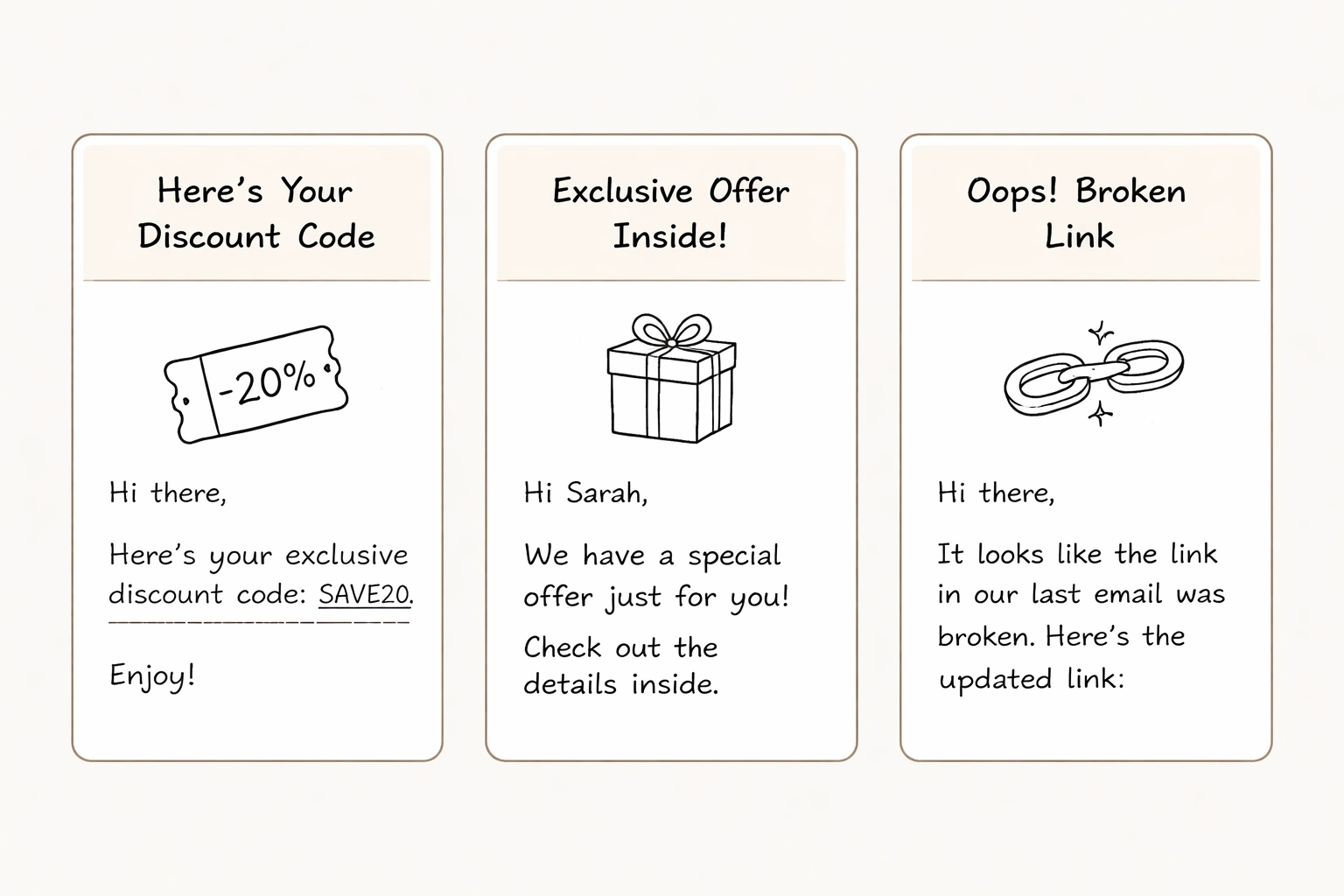
Wrong Discount Code
Subject: "Oops try this code instead"
"We sent you an email this morning with a discount code that didn't work. That's on us. Here's the right one: SPRING25. Valid through Sunday. Sorry for the confusion!"
Works because it's direct and the code is front and center.
Broken Link
Subject: "We broke the link (here's the right one)"
"Turns out the link in our last email didn't go anywhere. Which is awkward, because the new collection is kind of great. Here's the correct link: [Shop Now]. Thanks for your patience with us."
Works because it's lighthearted but still fixes the problem fast.
Sent Too Early
Subject: "Ignore that last one this is the real email"
"If you got an email from us about 20 minutes ago, please disregard it. We accidentally sent a draft. This is the one we actually meant to send. Apologies for the inbox clutter."
Works because it's honest and doesn't over-apologize.
Wrong Segment
Subject: "That wasn't meant for you"
"We accidentally sent an email about our women's line to our men's list. If you're interested, great but if not, sorry for the irrelevant message. We'll do better."
Works because it acknowledges the mistake without making a big deal of it.
How to Avoid Needing Oops Emails
Prevention beats correction. Every time.
Use a Pre-Send Checklist
Every email should pass a checklist before going live:
- Subject line and preview text reviewed
- All links tested
- Discount codes validated
- Images load correctly
- Personalization tokens preview correctly
- Mobile and desktop versions checked
- Correct segment selected
- CTA buttons functional
- Unsubscribe link present
Working with a Klaviyo agency like Grab Digital? This is already baked into the process.
Get a Second Set of Eyes
Never let one person be the only reviewer. Have someone else check before scheduling. If you're solo, step away for an hour and come back fresh.
Use Preview Features
Klaviyo lets you preview emails with real subscriber data. Use it. See how merge tags render. Test conditional logic. Send tests to yourself on different devices.
Add a Sending Delay
Build in a 10–15 minute buffer between scheduling and sending. It gives you a window to catch last-minute errors.
Check Segmentation Logic
Segment errors are some of the most embarrassing. Double-check filters. Make sure you're not targeting people who just bought the product you're promoting. Review your email segmentation strategy if this keeps happening.
Audit Flows Regularly
Automated flows can have mistakes that go unnoticed for weeks. Check your abandoned cart, welcome series, browse abandonment, and win-back flows quarterly.
Use Version Control
If multiple people edit templates, use naming conventions and duplicate before making changes. Don't let someone accidentally overwrite a final draft.
What Not to Do
Don't blame your tools. "Klaviyo sent the wrong email" doesn't inspire confidence. Own it.
Don't over-explain. Subscribers don't need your internal process breakdown.
Don't ignore it. If the error matters and you stay silent, people notice.
Don't joke if it's not funny. Humor works for small errors. It doesn't work if someone overpaid.
Don't send the correction to everyone. Only send to people who got the broken email. Sending it to your whole list just spreads the mistake.
The Upside of Screwing Up
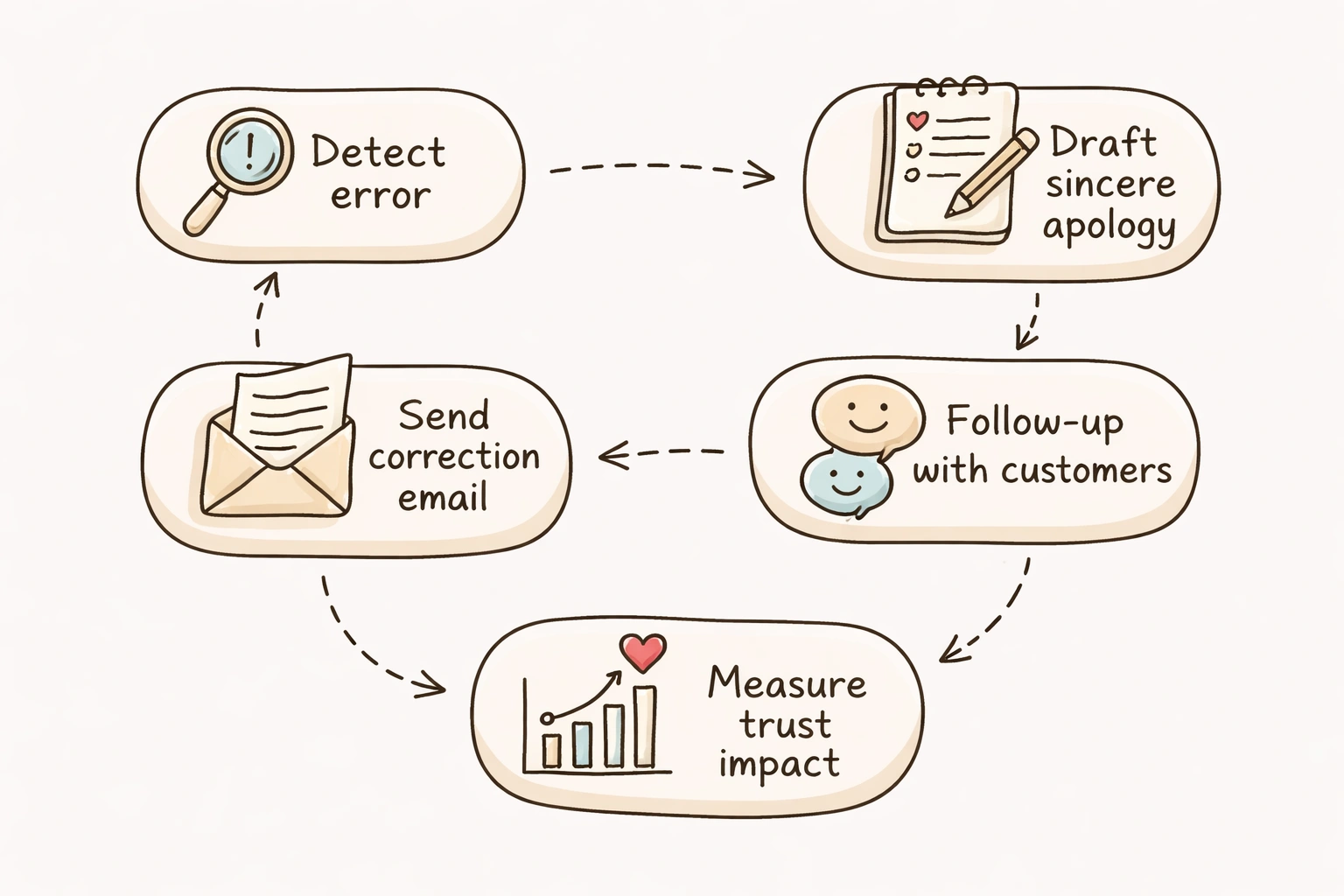
A well-handled oops email can actually build trust. It shows real humans run your brand humans who make mistakes and own them. Some of the most memorable brand moments come from errors handled with transparency.
Just don't make a habit of it. If you're sending correction emails every other week, the charm wears off.
Bottom Line
Mistakes happen. Email marketing moves fast. The difference between a brand that loses trust and one that keeps it comes down to how you respond.
Be fast. Be clear. Be human. Fix the problem without spamming people with excuses.
And if mistakes are becoming a pattern, look at your process. Whether that means tightening your checklist, adding a review step, or working with a team that handles email marketing for DTC brands full-time fix the system.
For more on building reliable email systems, check out our services page, read about the 8 core email flows every DTC brand needs, or dive into deliverability tips.
If you want a team that builds emails with systems designed to catch mistakes before they happen unlimited revisions included check out our work or reach out.
FAQ
Q: Should I send an oops email for every mistake?
A: No. Only send one if the mistake affects the customer experience broken link, wrong code, misleading info. Minor typos usually don't need a follow-up.
Q: How soon should I send it?
A: As soon as possible. Within a few hours is ideal. Just make sure the correction itself is error-free.
Q: Should I include an incentive?
A: Depends on severity. If the mistake stopped a purchase or caused frustration, a small gesture helps. For minor errors, skip it.
Q: Can an oops email hurt deliverability?
A: Not directly. But too many corrections can increase unsubscribes, which hurts deliverability over time.
Q: What's the best subject line?
A: Clear and direct. "Oops wrong link" or "We messed up (here's the fix)." Transparency beats cleverness.
Q: Should I segment to only people who opened the original?
A: If possible, yes. Sending the correction only to people who received the original prevents drawing attention to the mistake among people who never saw it. But if the error affected a key offer, send to the whole original segment.
You hit send. Then your stomach drops.
The subject line has a typo. The discount code is wrong. You just sent the men's collection to your women-only segment. Or worse you called someone by the wrong name in the merge tag.
If you've never had to send a correction email, you're either incredibly lucky or you haven't been doing this very long. For the rest of us, the "oops email" is a rite of passage. It feels terrible in the moment. But handled well, it doesn't have to be a disaster. Sometimes it actually helps.
Let's walk through what an oops email is, when you actually need one, and how to write one without making things worse.
What Is an Oops Email?
It's a follow-up message sent to correct a mistake in a previous campaign. It acknowledges the error, apologizes if needed, and provides the right information.
The mistake could be anything:
- A broken link
- A typo in the subject line or body copy
- An incorrect discount code
- Wrong product images
- Sending to the wrong segment
- Personalization errors (wrong name, wrong product recommendation)
- Pricing errors
- Sending a draft instead of the final version
The goal is simple: fix it before the damage spreads, or at least own the mistake publicly.
When You Should (and Shouldn't) Send One
Not every mistake needs a follow-up. Send too many apologies and you train your audience to expect sloppiness. Ignore a real error and you kill trust.
Send an oops email if:
- The error affects the customer's ability to act (broken link, wrong code, incorrect pricing)
- The mistake could cause confusion or frustration
- The error was visible to a large segment
- The mistake involved incorrect personalization that feels invasive
- You promised something you can't deliver
Don't send one if:
- The error is minor and buried in body copy
- Bringing attention to it causes more harm than good
- The original email had almost no engagement
- You can fix it silently (like updating a landing page link on the backend)
When in doubt, ask: will this email help or make things worse? If you're not sure, sometimes it's better to just move on.
How to Write an Oops Email That Works
A good correction email acknowledges the mistake, fixes it, and keeps your brand voice intact. Nothing more.
1. Own It in the Subject Line
Don't be cute. Your subject line should signal immediately that this is a correction. Subscribers who saw the original error need to know this one matters.
Try:
- "Oops wrong link in our last email"
- "We messed up (here's the right code)"
- "Our bad here's what we meant to say"
- "Sorry, that wasn't supposed to go out yet"
Be direct. If your brand voice is playful and your audience knows you, a little humor works. But don't force it.
2. Get to the Point
Don't make people scroll to figure out what happened. Lead with the correction.
Example:
"We sent you an email earlier today with a broken link to our new collection. Sorry about that here's the correct link."
If the mistake was embarrassing, own it:
"We hit send a little too early on that last one. It was a draft. A very rough draft. Here's the version we actually meant to send."
3. Make the Fix Impossible to Miss
This is the whole point. Put the correct information front and center. Use buttons, bold text, or visual callouts.
Discount code? Put it in a big centered box. Link? Make the CTA button obvious. Product recommendation? Show the right product with an image.
4. Decide If You Need to Apologize
Not every mistake needs a formal apology. A broken link? A quick "our bad" is fine. A pricing error that caused someone to overpay? You need to apologize and fix it.
Match the tone to your brand. "Whoops, our bad" works for casual brands. "We apologize for the confusion" fits more premium positioning.
5. Consider a Small Bonus (Sometimes)
If the mistake stopped someone from buying or caused real frustration, a goodwill gesture helps. Extend a deadline. Add an extra 10% off. Offer free shipping.
You don't need to do this every time. But when the error genuinely inconvenienced people, it shows you value their time.
6. Keep It Short
Get in, fix the problem, get out. Respect the inbox.
7. Test Everything Before Sending
The only thing worse than a mistake in your campaign? A mistake in your correction email. Triple-check links, codes, images, segments, and merge tags. If you're using Klaviyo, preview the email with real data and send tests to multiple devices.
If these mistakes are happening too often, it's usually a process issue. This might be the right time to book a consultation to fix the underlying workflow.
Real Examples (Anonymized)
Wrong Discount Code
Subject: "Oops try this code instead"
"We sent you an email this morning with a discount code that didn't work. That's on us. Here's the right one: SPRING25. Valid through Sunday. Sorry for the confusion!"
Works because it's direct and the code is front and center.
Broken Link
Subject: "We broke the link (here's the right one)"
"Turns out the link in our last email didn't go anywhere. Which is awkward, because the new collection is kind of great. Here's the correct link: [Shop Now]. Thanks for your patience with us."
Works because it's lighthearted but still fixes the problem fast.
Sent Too Early
Subject: "Ignore that last one this is the real email"
"If you got an email from us about 20 minutes ago, please disregard it. We accidentally sent a draft. This is the one we actually meant to send. Apologies for the inbox clutter."
Works because it's honest and doesn't over-apologize.
Wrong Segment
Subject: "That wasn't meant for you"
"We accidentally sent an email about our women's line to our men's list. If you're interested, great but if not, sorry for the irrelevant message. We'll do better."
Works because it acknowledges the mistake without making a big deal of it.
How to Avoid Needing Oops Emails
Prevention beats correction. Every time.
Use a Pre-Send Checklist
Every email should pass a checklist before going live:
- Subject line and preview text reviewed
- All links tested
- Discount codes validated
- Images load correctly
- Personalization tokens preview correctly
- Mobile and desktop versions checked
- Correct segment selected
- CTA buttons functional
- Unsubscribe link present
Working with a Klaviyo agency like Grab Digital? This is already baked into the process.
Get a Second Set of Eyes
Never let one person be the only reviewer. Have someone else check before scheduling. If you're solo, step away for an hour and come back fresh.
Use Preview Features
Klaviyo lets you preview emails with real subscriber data. Use it. See how merge tags render. Test conditional logic. Send tests to yourself on different devices.
Add a Sending Delay
Build in a 10–15 minute buffer between scheduling and sending. It gives you a window to catch last-minute errors.
Check Segmentation Logic
Segment errors are some of the most embarrassing. Double-check filters. Make sure you're not targeting people who just bought the product you're promoting. Review your email segmentation strategy if this keeps happening.
Audit Flows Regularly
Automated flows can have mistakes that go unnoticed for weeks. Check your abandoned cart, welcome series, browse abandonment, and win-back flows quarterly.
Use Version Control
If multiple people edit templates, use naming conventions and duplicate before making changes. Don't let someone accidentally overwrite a final draft.
What Not to Do
Don't blame your tools. "Klaviyo sent the wrong email" doesn't inspire confidence. Own it.
Don't over-explain. Subscribers don't need your internal process breakdown.
Don't ignore it. If the error matters and you stay silent, people notice.
Don't joke if it's not funny. Humor works for small errors. It doesn't work if someone overpaid.
Don't send the correction to everyone. Only send to people who got the broken email. Sending it to your whole list just spreads the mistake.
The Upside of Screwing Up
A well-handled oops email can actually build trust. It shows real humans run your brand humans who make mistakes and own them. Some of the most memorable brand moments come from errors handled with transparency.
Just don't make a habit of it. If you're sending correction emails every other week, the charm wears off.
Bottom Line
Mistakes happen. Email marketing moves fast. The difference between a brand that loses trust and one that keeps it comes down to how you respond.
Be fast. Be clear. Be human. Fix the problem without spamming people with excuses.
And if mistakes are becoming a pattern, look at your process. Whether that means tightening your checklist, adding a review step, or working with a team that handles email marketing for DTC brands full-time fix the system.
For more on building reliable email systems, check out our services page, read about the 8 core email flows every DTC brand needs, or dive into deliverability tips.
If you want a team that builds emails with systems designed to catch mistakes before they happen unlimited revisions included check out our work or reach out.
FAQ
Q: Should I send an oops email for every mistake?
A: No. Only send one if the mistake affects the customer experience broken link, wrong code, misleading info. Minor typos usually don't need a follow-up.
Q: How soon should I send it?
A: As soon as possible. Within a few hours is ideal. Just make sure the correction itself is error-free.
Q: Should I include an incentive?
A: Depends on severity. If the mistake stopped a purchase or caused frustration, a small gesture helps. For minor errors, skip it.
Q: Can an oops email hurt deliverability?
A: Not directly. But too many corrections can increase unsubscribes, which hurts deliverability over time.
Q: What's the best subject line?
A: Clear and direct. "Oops wrong link" or "We messed up (here's the fix)." Transparency beats cleverness.
Q: Should I segment to only people who opened the original?
A: If possible, yes. Sending the correction only to people who received the original prevents drawing attention to the mistake among people who never saw it. But if the error affected a key offer, send to the whole original segment.

Find out exactly what your email channel is leaving on the table.

Email Marketing for Scaling DTC Brands


